
Frequently Asked Questions
Calibration:
Q: How can I experiment with FlightCoach on the ground?
A: You can record *anything* as calibration sounds. I like to use a whistled note, a different one for each calibration sound, when I’m working on the code. When you’re ready to use FlightCoach in the plane again, you can just hit “Clear All” in the calibration menu to start over.
Q: Is calibration required or can I simply mount the unit and fly?
A: Calibration is required each time you put the device in a new plane. It saves that calibration and uses it again when you are in that same plane. If you switch planes, you have to calibrate it again. (There will soon be a feature that allows you to select different planes and store separate calibration for each plane.)
Q: Does the unit have internal memory or is this why I need to connect it to my cell phone using Wifi?
A: The unit uses its internal memory to store calibration and flight information. When you connect it to a wifi signal, it looks for code updates since it’s still being actively developed. And it uploads information about any prior flights you took it on. It doesn’t need wifi all the time, just after your flights.
Q: The unit measures recognized and unrecognized slip conditions. If I recognize uncoordinated flight, how do I tell the unit that the uncoordinated flight was recognized vs doing it without knowing that I flew uncoordinated?
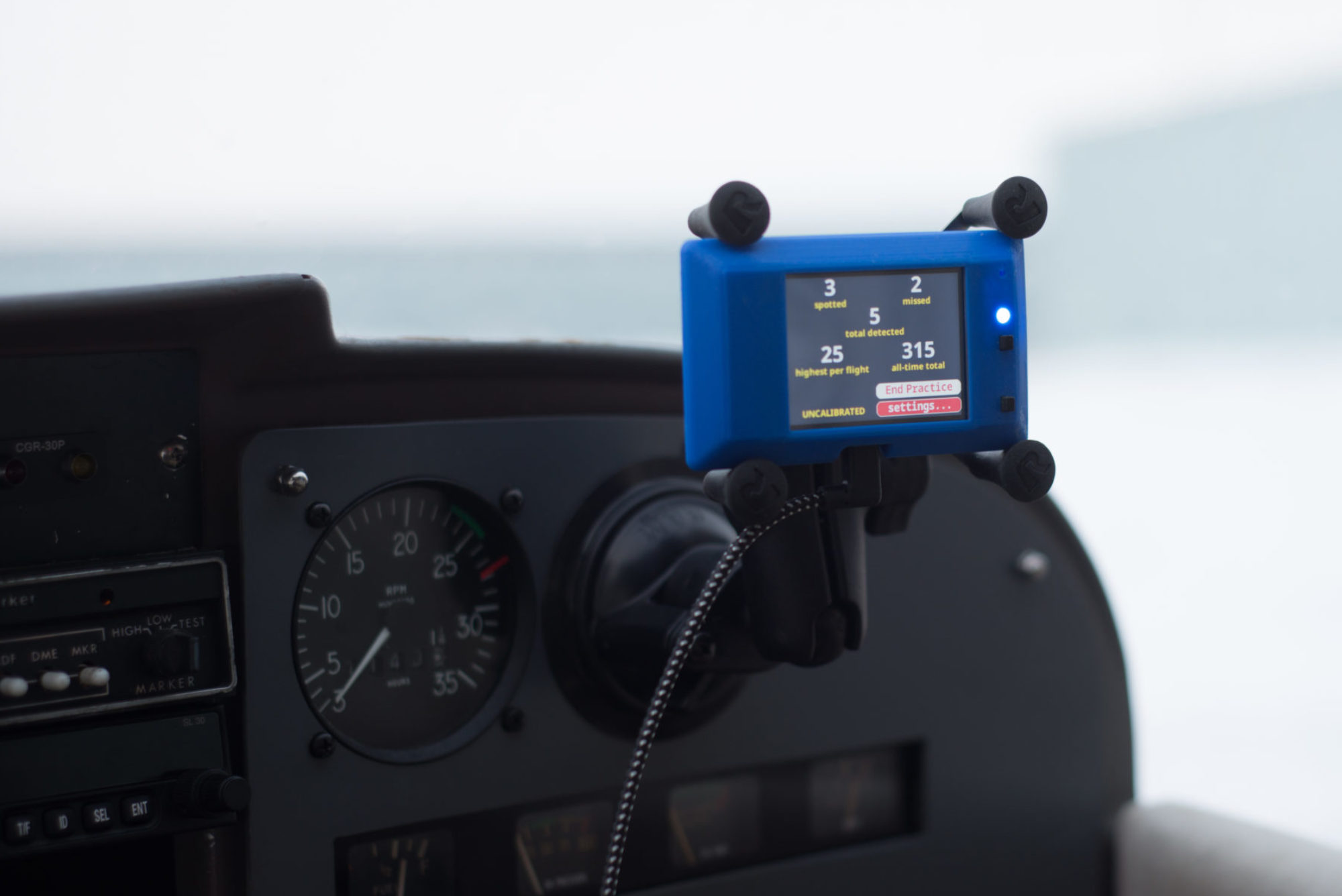
A: To indicate to the unit that you’re planning to slip or take the plane into slow flight, you touch the area of the screen where the alarm normally appears. This causes the screen to show: “Slip?” or “Slow flight?” Any time you slip or slow the plane down while those are showing, the unit counts a “spotted” score.
General:
Q: When you have flight tested the unit, what airplane did you fly?
A: So far, I have tested the unit on a Cessna 172, an RV-9, and a Luscombe 8A. I hope to add a lot more after this testing.
Q: After making the flight, what steps are needed for you to obtain the data?
A: Connect it to the internet. This mostly just means power it up back at your home network or wherever you configured it to connect.
Q: How long does the internal battery last? How long does it take to charge the internal battery?
A: This beta-test unit doesn’t have an internal battery. You power it on and provide power by connecting it to a USB port or a USB battery.
Network:
Q: When I enter FlightCoach_xxxxxxxx in my internet as a url, your web site does not appear. What other address should I try?
A: Here’s how you connect it to the internet:
-
-
- Power it up and either use the menu to go to WiFi Setup or (if it’s never been configured before) it will show a screen asking you to connect to it.
- Use a phone or computer with wifi to connect to the device. This means, go to your wifi section, look for a wifi station named FlightCoach_xxxxx (with the numbers provided on your screen), and connect to it.
- With iPhones, a configuration webpage should automatically open. With Android (or if something goes wrong with iPhone), you should go to a web browser and open http://192.168.4.1. This link will only work correctly if you’re connected to the FlightCoach
- Click “Configuration.”
- Select the name of your Network from the list or type in the name in the SSID field.
- Enter your network’s password in the password field.
- Click Save.
- The unit will reboot. You can safely close your browser and reconnect to the network. Most phones do that automatically.
- When it reboots, it will look to see if there is a new code load and try to download it. It will also upload log files to my server.
-
Science:
Q: Why is configuration necessary?
A: FlightCoach measures two things: the sound of the cabin of the airplane and the acceleration due to “gravity.”
The sounds in the cabin correlate to the flight conditions that you’re in. You can tell how much wind is going over your wing by listening for it. When you calibrate FlightCoach, you’re teaching it what conditions correspond to various situations: idle on the ground, cruise flight in the air, slow flight, and one extra situation that you can define. It then indicates alarms to you whenever the sounds in the cabin sound the most like the sounds when you were in slow flight.
For measuring flight coordination, an accelerometer in FlightCoach also compares different flight conditions. It measures straight up and down gravity when the unit powers up or when you hold down the bottom right button. When you’re taking the slow flight calibration sound, it does another measurement of acceleration. With these two measurements it figures out which axis is the pitch axis that it is currently mounted in. Finally, in calibration you record a maximum slip angle that corresponds to the roll axis.
By the way, this means that whenever you mount the device in a new location, you’ll need to redo at least the climbing pitch (which you can do in the debug menu “R Climb Pitch” or you can rerecord slow flight to make the same measurement. You’ll also need to reset the “up” vector by holding the lower right button. It’s probably a good idea to rerecord the other sound based calibrations too, since the microphone is now in a new location inside the cockpit.
Once you find a good location that you like in the cockpit, always keep the unit in that location.